.webp)
PMax Quick Audit Steps
Performance Max can be a powerful tool for ecommerce growth. In a perfect world, it helps you scale profitable revenue across Google’s network while using automation to find the right customers at the right time.
In reality, PMax performance can shift quickly. A campaign may look stable one day, then suddenly stop serving, spend aggressively without a clear return, or generate low-cost clicks that look good on the surface but do not translate into meaningful revenue. That is usually a sign it is time to look under the hood.
When PMax goes sideways, advertisers often have the same question:
What actually happened?
That is a fair question, because PMax does not always make diagnosis easy. Since Google uses a mix of product data, audience signals, creative assets, landing pages, bidding targets, budget, and historical performance to decide where and how to serve, you usually cannot solve the issue by staring at one metric and hoping the answer appears.
Instead, you need to look under the hood and figure out which signals, settings, or inputs may have pushed the campaign in a different direction.
The goal of this post is to walk through a few places to investigate when performance changes suddenly, so you can make a smarter decision instead of smashing the budget button and calling it strategy (like Google recommends).
Start with the Channel Distribution Report
One of the most helpful places to begin is the PMax channel distribution report.
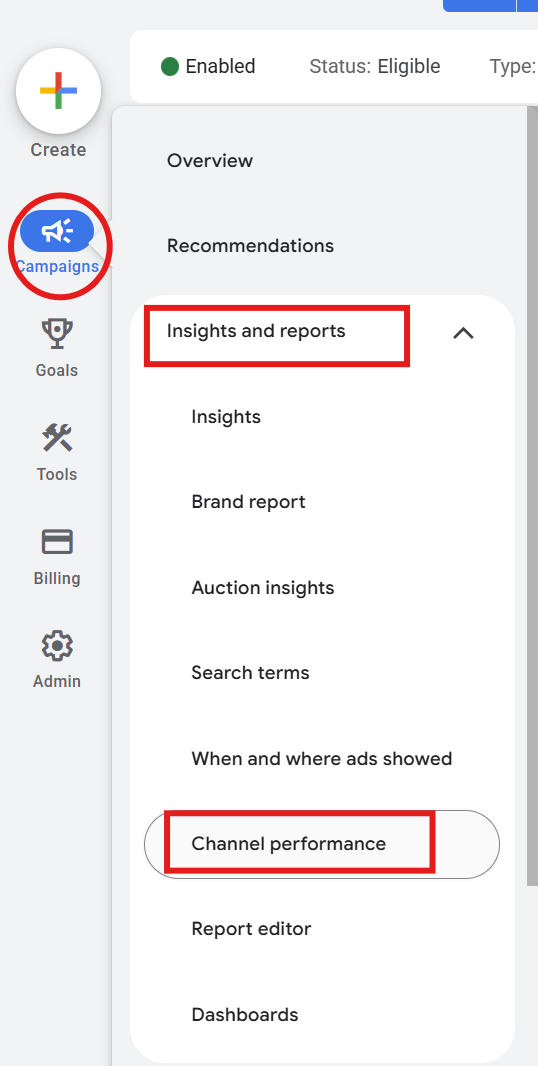
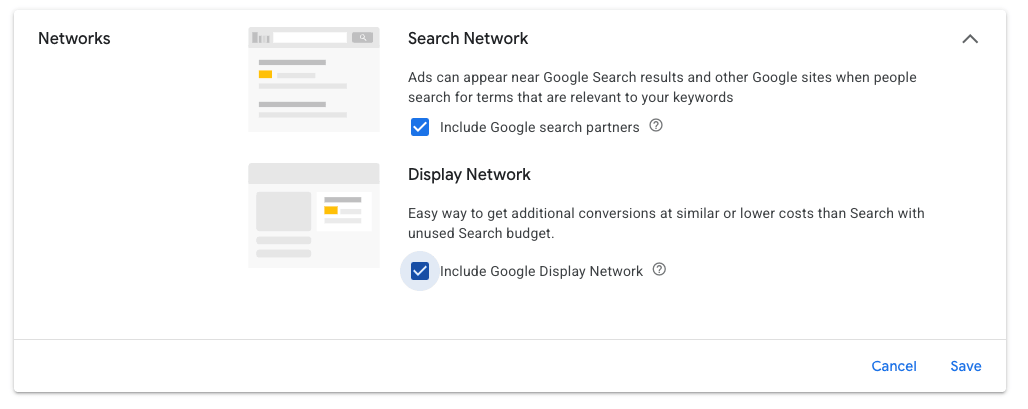
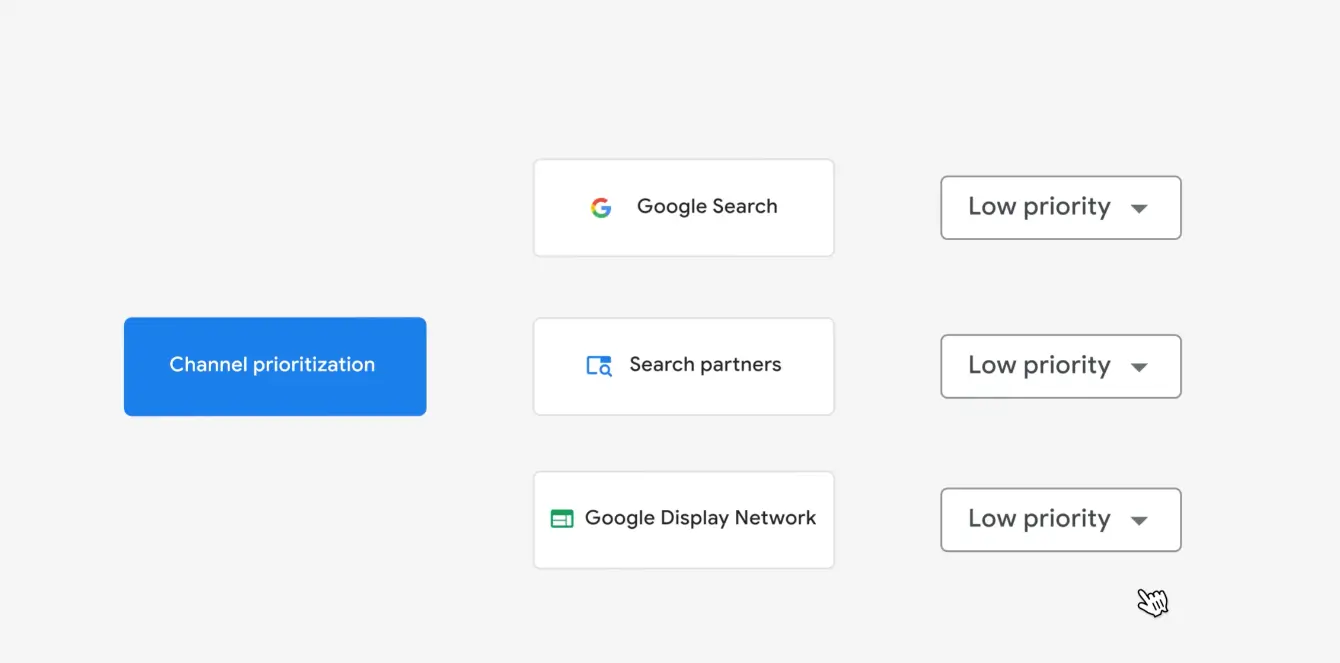
If performance suddenly changes, check whether there has been a meaningful shift in where the campaign is spending. Did more budget move into Display, Discover, YouTube, or another non-core channel? Did Shopping or Search lose share? Did your campaign suddenly start picking up a bunch of cheap clicks that look exciting until you remember revenue is the point?
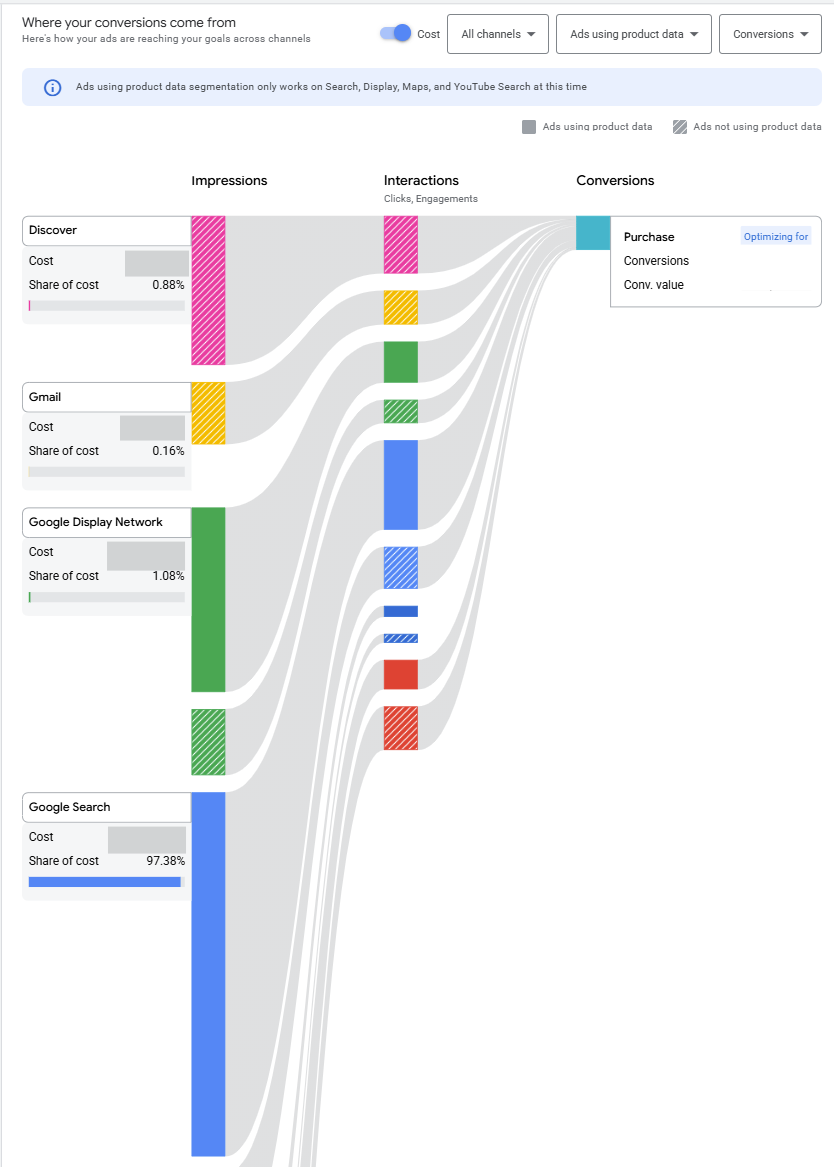
Cheap clicks often come from channels like Display or Discover. That does not automatically mean the traffic is bad, but it does mean you should pay attention. A sudden increase in spend from non-essential channels can explain why clicks went up while ROAS went down.

That said, be careful not to overreact to one bad day. PMax can fluctuate, and a one or two-day shift does not always mean the campaign is broken. The right reaction depends on your account volume. If the campaign has a lot of conversion and spend data, a short-term channel shift may be more meaningful. If the campaign has lower volume, you may need more time before making a major change.
In other words, do not turn one weird Tuesday into a full account restructure.
Look at the Historical Performance of the Channel in Question
Once you identify a channel shift, the next question is whether that shift makes sense based on history.
Look at the channel’s past performance. Has this channel historically generated efficient revenue? Has it had strong conversion value? Has it recently started receiving more credit?
This matters because PMax uses historical performance as one of its strongest optimization signals. If a channel has recently performed well, the system may allocate more spend to it. However, short-term performance can sometimes lead to a larger budget shift that does not hold up over time, especially if the channel does not continue driving efficient conversion value.
It is also important to factor in conversion lag before judging the channel shift too quickly. Some channels may look inefficient at first because conversions or conversion value have not fully populated yet. Before assuming the system moved spend into the wrong place, compare the recent results against your typical conversion delay and attribution window. Otherwise, you may be reacting to incomplete data rather than a real performance problem.
If you see a prolonged shift toward a less efficient channel, target ROAS adjustments may become necessary sooner rather than later. But the size of the adjustment matters. Small, thoughtful changes are usually safer than large swings, especially when you are not completely sure what triggered the behavior.
Check Product Eligibility in Merchant Center
Before you blame the campaign, check the feed.
Product eligibility issues in Google Merchant Center can absolutely affect PMax behavior. If key products were disapproved, limited, out of stock, or temporarily unavailable, the campaign may shift traffic elsewhere to find eligible inventory and maintain delivery.
This can create confusing symptoms. You might see spend move away from Shopping and toward other placements, not because the campaign had a brilliant strategic breakthrough, but because some of the products it normally relies on are no longer eligible.
Check for:
- Product disapprovals
- Limited eligibility
- Feed errors
- Out-of-stock products
- Recent changes to product titles, descriptions, product types, or images
If a product feed issue caused the shift, fixing the feed should usually come before making aggressive campaign-level changes.
Review Audience Signal Changes
Audience signals are not targeting controls, but they still matter.
If you are using Customer Match lists (which you should), remarketing audiences, or other audience signals in your PMax campaign, check whether anything changed recently. A sudden spike or drop in users on a list can add noise to the system and influence how the campaign explores traffic.
For example, if a Customer Match list shrinks dramatically, refreshes incorrectly, or receives a large batch of new users, PMax may need time to interpret that change. The campaign may start testing new pockets of traffic, and not all of those pockets will be filled with your dream customers holding credit cards and making responsible decisions.
Review list size trends, upload timing, and any recent changes to audience signals.
Check Asset Performance and Recent Creative Changes
Asset performance is often a symptom, not the original cause, but it is still worth reviewing.
If you recently added new images, videos, headlines, or descriptions, check whether performance changed afterward. New assets can open up new inventory or influence where PMax serves. That can be good, but it can also send the campaign into placements or formats that do not perform as well.
Pay special attention if the performance drop occurred shortly after creative changes. If a new group of assets appears to be connected to the issue, removing or pausing those assets may be a reasonable first step.
Review Display Placements
PMax placement data does not provide a full picture, but it can still offer helpful clues when diagnosing sudden performance changes.
Check whether certain placements are receiving a large number of impressions, especially around major news events or viral topics. Some placements may not show strong direct performance metrics, but they can still reveal where your impressions are going.
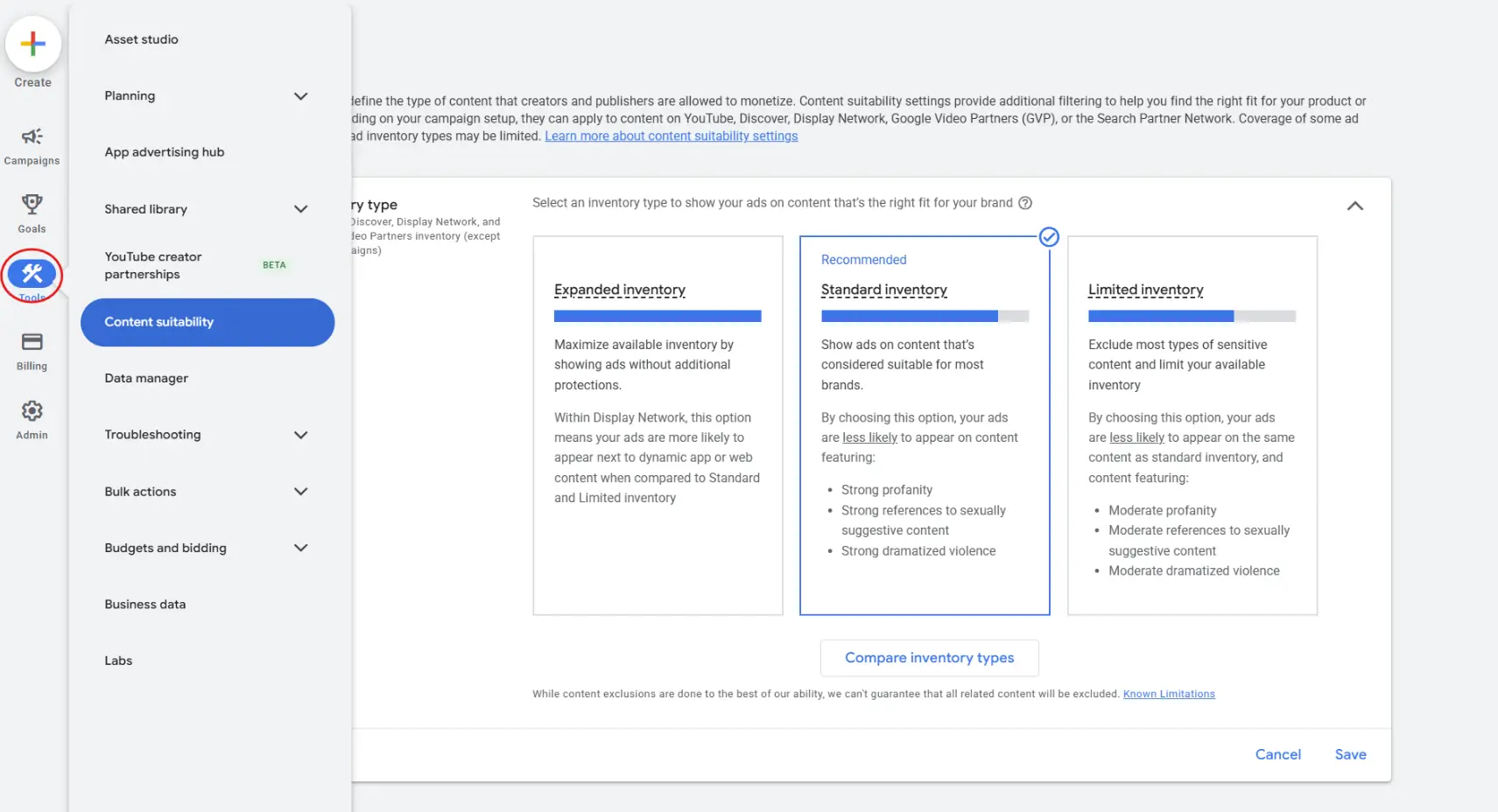
Google does have content guardrails, but things still slip through. If you see questionable or irrelevant placement patterns, review your account-level content suitability settings and exclusions.
Check Account-Level Content Controls
A change to account-level content controls can affect PMax inventory.
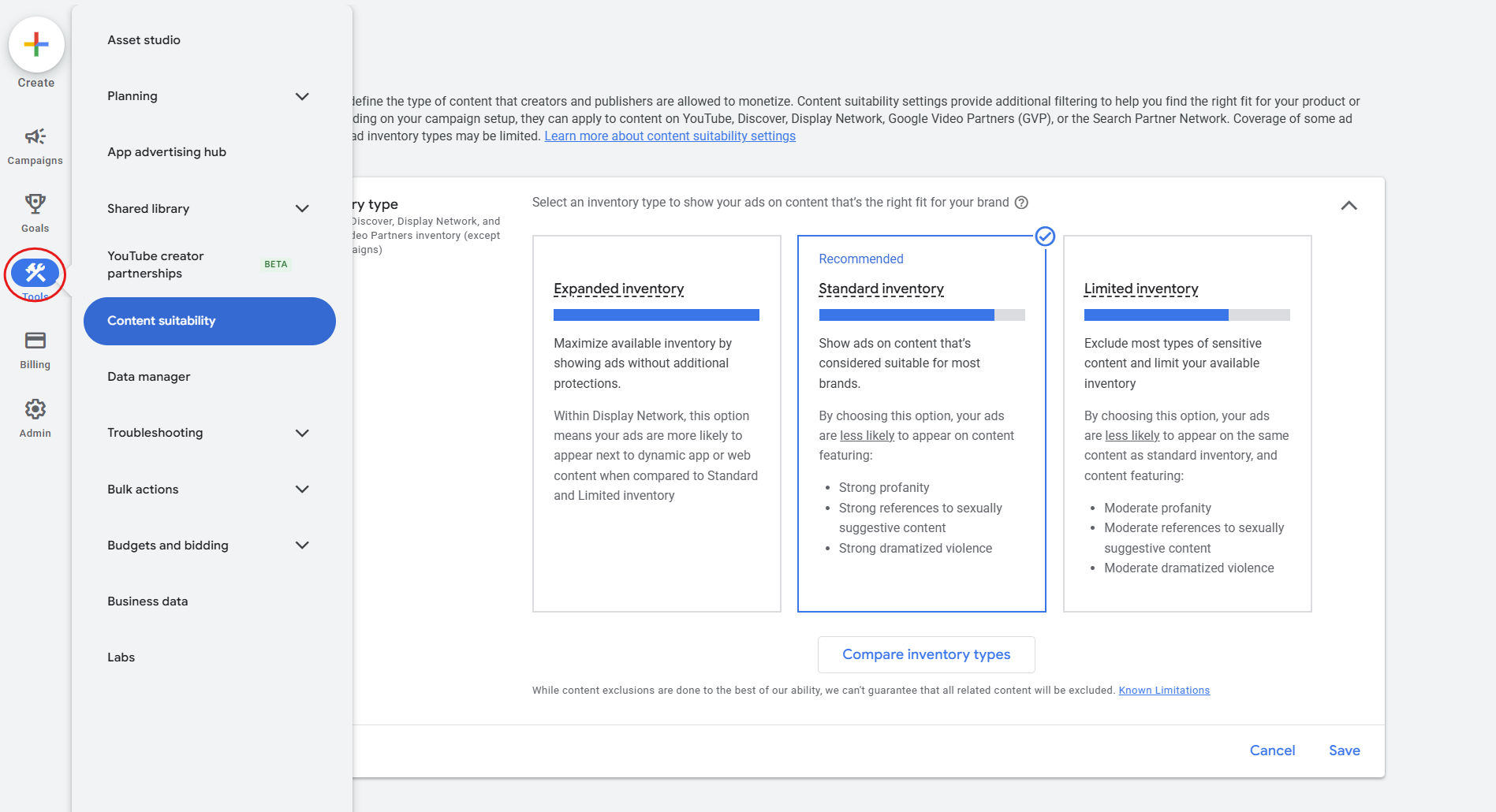
If someone removed exclusions or loosened brand safety settings, your campaigns may suddenly become eligible for more placements. That can affect traffic quality, especially on Display and video inventory.
Review recent account changes and check whether content suitability settings were adjusted. This is one of those boring checks that can save you from making the wrong campaign-level diagnosis.
If the Problem Is Not Channel Distribution, Look Deeper
Sometimes the issue is not a major shift into Display, Discover, YouTube, or another non-core channel. In that case, keep investigating.
Check Final URL Expansion
If Final URL Expansion is turned on, look for landing pages that suddenly received more traffic.
PMax may start sending users to pages you did not expect. Sometimes that can support performance by helping Google match users to relevant content beyond the product page. However, if traffic starts shifting to pages that are less relevant or less conversion-focused, Final URL Expansion can broaden the campaign’s reach in a way that attracts lower-intent users and creates weaker conversion signals.
Look for pages with unusual traffic increases, weak engagement, or poor conversion value.
Check Search Terms
Search term data for PMax is still not perfect, but it is useful. Review whether the campaign started matching to new or less relevant queries.
A sudden change in search behavior can explain performance drops, especially if the campaign begins picking up broader or lower-intent traffic.
Check Recent Feed Attribute Changes
Product titles, descriptions, product types, custom labels, and other feed attributes can influence how Google understands your products.
If product data changed recently, compare timing against the performance shift. A feed update can change eligibility, query matching, Shopping relevance, and overall campaign behavior.
So, What Can You Actually Do?
Google’s most common recommendations tend to be fairly simple:
Adjust your ROAS target. Adjust your budget.
Those can be valid actions, but they are blunt instruments. When you change the budget or target ROAS, you affect the whole campaign, not just the channel, asset, product group, or behavior causing the issue.
Before making those changes, try to identify the source of the problem. Start by asking better questions:
Where did the spend move?
What changed recently?
Which signal could have pushed the system in this direction?
Is this a short-term fluctuation or a real pattern?
Depending on what you find, possible fixes include:
- Correct Merchant Center disapprovals or feed issues
- Remove or replace recently added poor-performing assets
- Tighten account-level content suitability settings
- Add placement exclusions where available
- Review Final URL Expansion and exclude poor landing pages
- Adjust tROAS carefully if the issue appears to be bidding-related
- Use a data exclusion.
What About Feed-Only PMax?
If the issue appears tied to assets or non-shopping inventory, some advertisers may consider moving closer to a feed-only PMax setup.
This can reduce how heavily PMax uses creative assets across other channels, but it is not always a perfect fix. Google may still generate auto assets or find ways to expand into inventory you were not exactly asking for.
If a campaign continues to struggle with an asset group you are trying to revert to run as feed-only, you may have a couple of options:
First, you can request that Google opt campaign out of automatically generated assets, which is mostly Video content.
Second, you can create a new asset group, transfer products into it over time, and gradually move away from the original asset group. This allows you to preserve campaign-level history while giving the system a cleaner setup to work with.
Final Thoughts
When PMax performance changes suddenly, the worst thing you can do is react without diagnosis.
A drop in ROAS, spike in spend, or wave of cheap clicks is usually a symptom. The real issue may be channel distribution, product eligibility, audience signal noise, asset changes, placement expansion, URL expansion, search term shifts, or feed updates.
PMax may be automated, but that does not mean advertisers should become passive observers. The machine still needs guardrails, clean inputs, and humans willing to look under the hood when it starts making weird little robot decisions.