Last May, Google previewed a feature in Ads accounts that lets you create a reporting dashboard from a simple prompt - utilizing Gemini’s AI capabilities. This started rolling out to accounts in August & September of 2026 - most notably as a beta. Google indicates in this Ads Help article that Dashboards allow you to customize your reports and visualize data effectively through the creation of reporting tables that may not otherwise be available or may take additional time to build out through the manual reporting interface.
How to Access Google Ads AI Dashboards
The beta version of Dashboards is accessible under the “insights and reports” dropdown within the campaigns menu.
Google indicates that this functionality is a beta that has not yet rolled out to all accounts. However, if the feature is within your account, you will see this under the “insights and reports” menu:
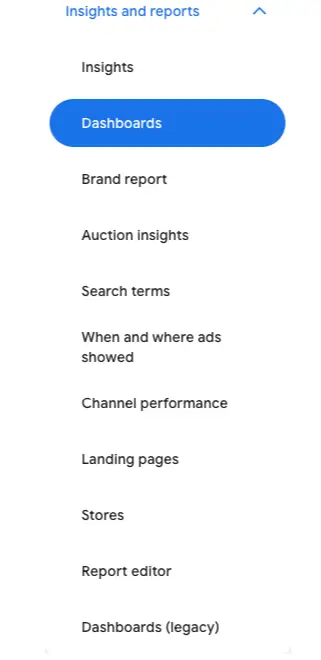
At this point in time, Google is still allowing access to the legacy version of Dashboards (located at the bottom of the menu), however Google doesn’t indicate how long that access will be for.
According to Google, the AI version of Dashboards allows you to utilize all of the same features while building the report in a different way.
Once you select Dashboards from the menu, a screen appears asking for a prompt:
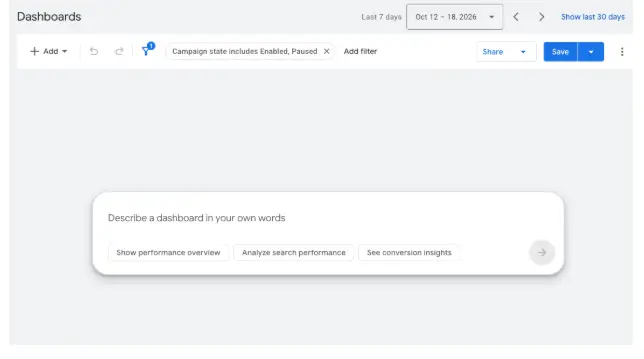
In addition to your prompt, you can also change the campaign filters. The default filters applied are for all enabled and paused campaigns.
Creating Custom Data Visualizations Using Gemini Prompts
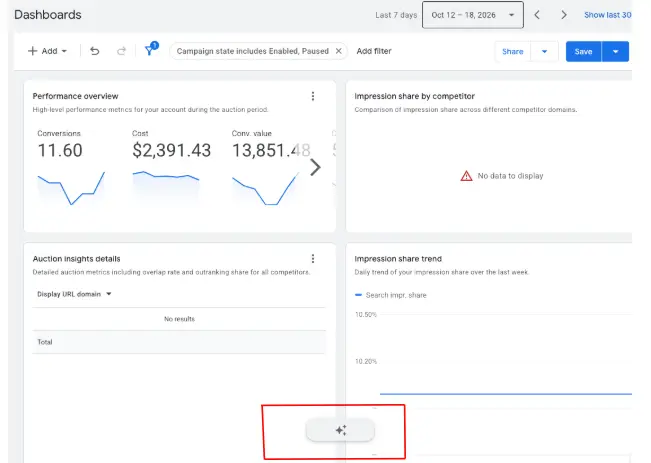
My first attempt - to try to visualize auction insights metrics - returned very little data. If you want to change or update your prompt, the button to do so will go to the bottom middle of the page after the first prompt.
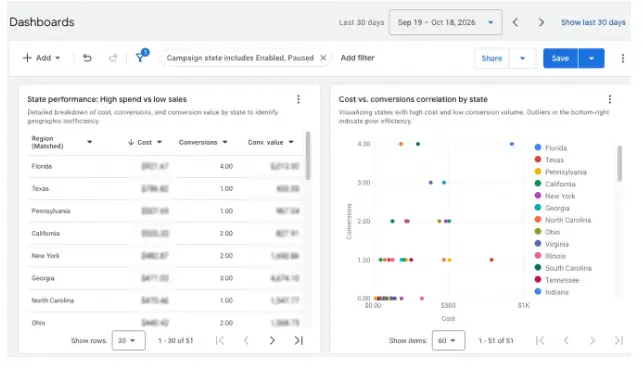
I have also found that you can ask questions on Dashboards and get a visualization of the response. Take - for example - below where I asked “What states spend a lot of money with little sales?” as my prompt.
Key Features of AI-Powered Google Ads Dashboards
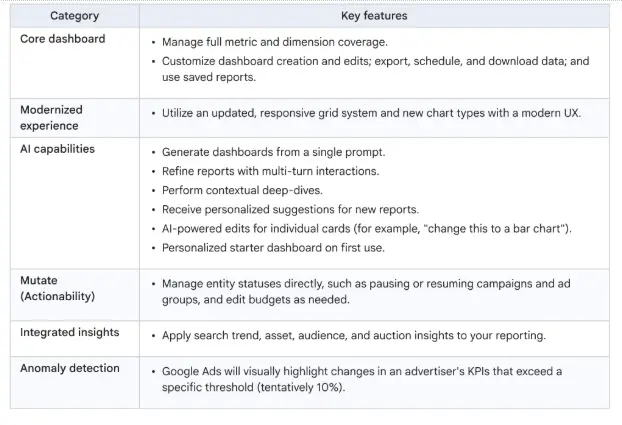
Google lists dashboards as having six core features (listed below) and I can see this product really assisting in data visualization - especially for those among us who are burned out on complex reporting dashboard programs.
Conclusion: Should Advertisers Use AI Dashboards?
The introduction of AI-powered dashboards in Google Ads marks a significant step forward in simplifying campaign reporting and data visualization. By converting plain-text prompts into customizable visual reports via Gemini, advertisers can quickly extract actionable insights without navigating complex custom reporting tools. While the feature remains in beta and may show varying results depending on the query, its potential to streamline workflows is clear. Advertisers should take advantage of this feature as it continues to roll out, testing different prompts to see how it can enhance their daily reporting and decision-making processes.