
Last summer Google Ads announced that full placement reporting on the Search Partner Network was available for search, shopping and app campaigns. Whereas previously, sites on the Search Partner Network were considered a closely guarded secret, Google decided to offer advertisers full transparency into these websites recently. By auditing this report you can determine if Search Partner Network serving is worthwhile for your campaign or if there are simply some placement exclusions you need to consider for particular SPN sites.
Accessing the SPN Content Suitability Report
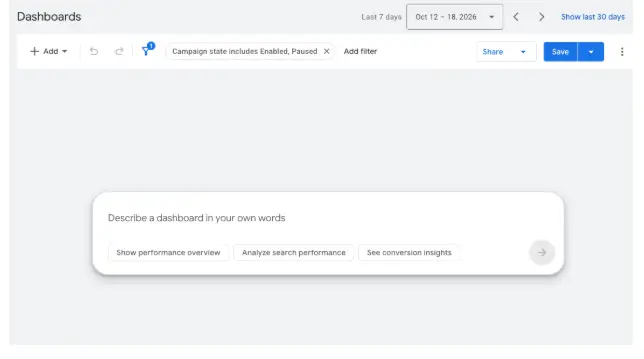
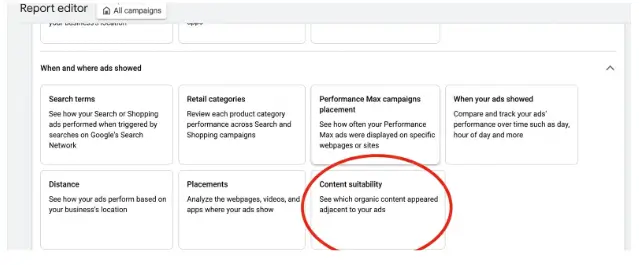
You will find the new SPN reporting within Report Editor, which is in the Campaigns menu. Scroll to the bottom of the page and select “content suitability” under the “where ads show” section. Google provides data for every Search Partners site that meets one of the following criteria within your selected time duration:
- 5 or more impressions
- More than 0 clicks
- More than 0 video views
- More than 0 conversions
Filtering for Search Partner Placements
This report will show all websites your ads appeared on, so you will have to add an additional filter that drills down to the Search Partners Network only.
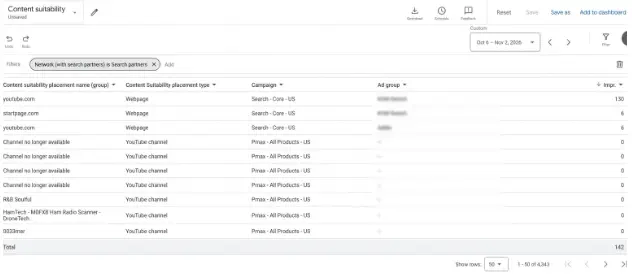
Similarly to how the placement reports work across Performance Max, Google is only giving us impression level data alongside the campaign and ad group the ad appeared in.
Managing Search Campaign Exclusions & YouTube Traffic
If you have a larger account and more search partner involvement, then you will see more data on this graph. However, one noteworthy item from this report is the impressions that are coming from YouTube.com in a search campaign. While still nominal in the whole scheme of things, if you decide to take action you can do one of two things here, you could exclude Search Partners entirely from the Search campaign. However, SPN does typically offer a lower avg cpc, so another option would be to exclude YouTube.com as a placement from that particular search campaign and then re-evaluate performance at a later date.
To add a campaign level exclusion, go to all campaigns, under “audiences, keywords & content,” select content. Then, scroll down to exclusions and click “edit exclusions.” Select the campaign level, then select the campaign that you wish to exclude that website from. Search, or browse the placement you wish to exclude, add it, then save your changes.
Auditing Performance Max Placements
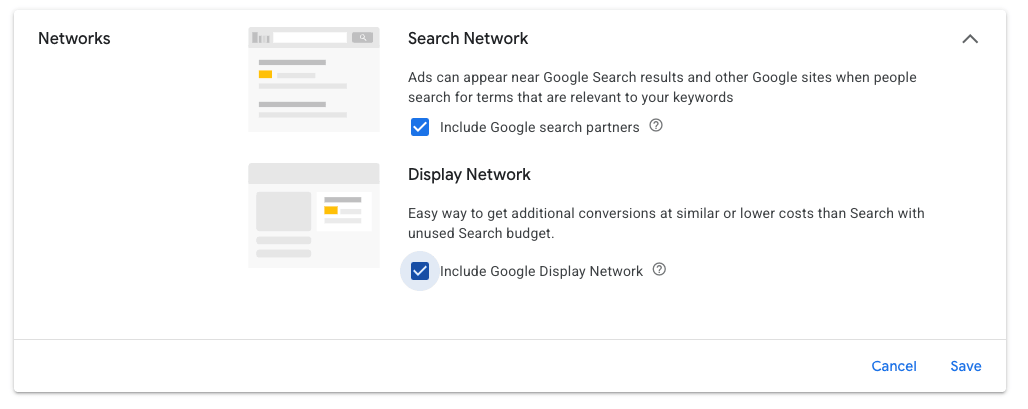
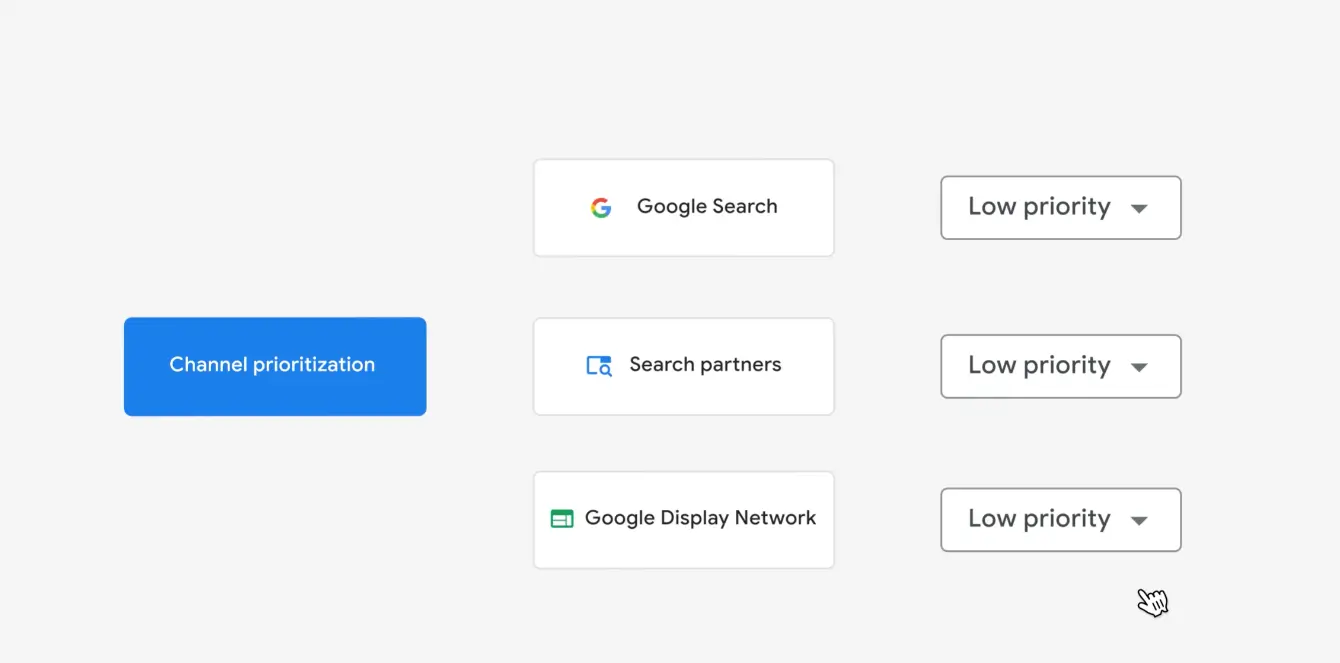
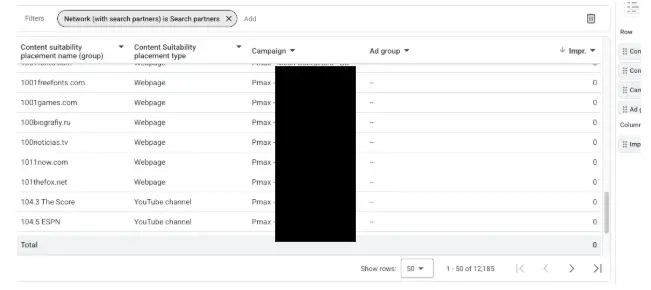
Another important piece of information we get from the SPN report is the actual website URL. The below screenshot is from another account and displays the SPN placements that occurred within a Performance Max campaign. Since Pmax is rolling out the ability to turn off Search Partners then evaluating this report, alongside your Channel Performance Report will be important in making that determination.
How to Perform a Bulk Domain Audit
Take a look at the web pages listed in the report above. While most appear legitimate upon initial review, some may be parked domains, obscure search engines, or Made For Advertising (MFA) websites lacking original content. To efficiently evaluate these placements, follow these steps to perform a bulk domain audit:
- Export the complete SPN placement report from Google Ads.
- Extract the top 50 to 100 domains by impression volume.
- Run the batch list through a bulk domain age and traffic checking tool (such as SEMrush Batch Analysis or the Similarweb API) to flag low-quality or zero-traffic domains.
As you are reviewing the SPN placement report, you may also notice a lot of YouTube traffic. It’s important to review this YouTube traffic to ensure it meets brand standards. In some instances, the name of the channel will be enough information to determine if you need to add an exclusion or if you can continue showing ads on the channel.
Why Some Placements Show Zero Impressions
While analyzing the SPN report, you may also see a considerable amount of placements with zero impressions. This happens for a variety of reasons. Google may have flagged it as invalid traffic so billable impressions and clicks are removed to avoid charging for the ad placement. Or, the impressions may have occurred outside of the selected date range. Another possibility is that the auction was won, but an impression was not counted due to it not being viewable by the user. In these instances, the website will still display, but the impression count will be 0.
Conclusion
Auditing Google Search Partner Network (SPN) traffic allows advertisers to identify low-quality placements like parked domains, MFA sites, and irrelevant YouTube channels without prematurely abandoning the network altogether. By utilizing the Content Suitability report in Report Editor, bulk auditing domain metrics, and applying targeted campaign-level placement exclusions, you can effectively filter out budget waste while keeping high-performing, cost-effective search partner traffic active.