Mid last month Google teased channel prioritization as a new feature coming soon to Google Ads and it appears to have recently started rolling out to some accounts. Channel prioritization allows advertisers to select whether a certain advertising channel (search, search partners, display) is a high or low priority for their advertising efforts. This feature will soon be available globally within Search, Shopping, Performance Max and Demand Gen campaigns - allowing marketers to be able to choose which channels they’d like to focus on. In addition to the campaign level, Google has also rolled out this same feature on the account level, which will be the default setting for advertisers who have this feature unless they opt into campaign level controls.
Available Channel Groupings
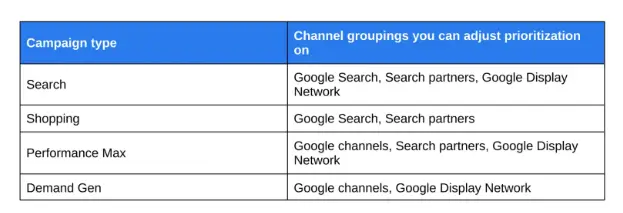
The channel groupings available are entirely dependent on which campaign type you are utilizing. Google has provided a chart on their Ads & Commerce blog article:
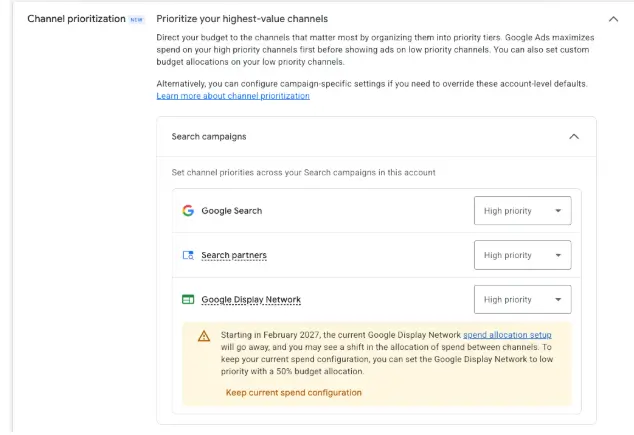
Low priority channels are given even more controls, as advertisers are also able to specify a maximum budget percentage to stay within for those channels. Though, Google notes that this feature may cause a hiccup for Search campaigns currently opted into the Display network under the existing settings when full rollout of maximum budget percentage and channel prioritization occurs in February. Additional ad spend may accrue across the Display network unless the advertiser sets it to low priority with a 50% budget allocation.
How to Access Channel Prioritization Settings
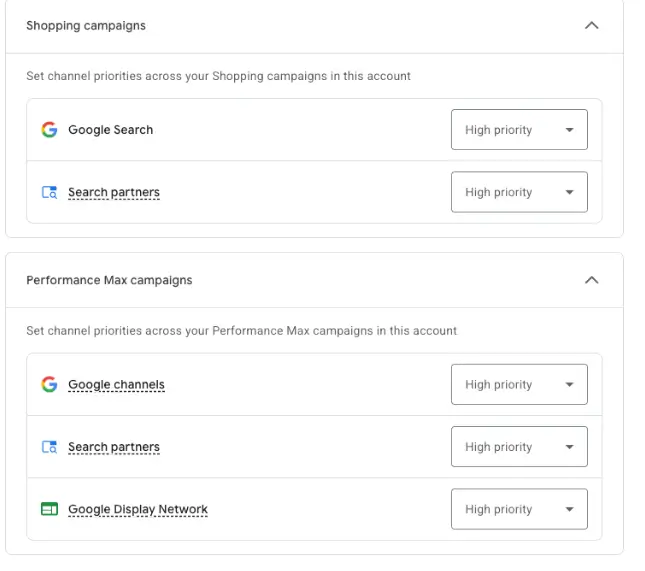
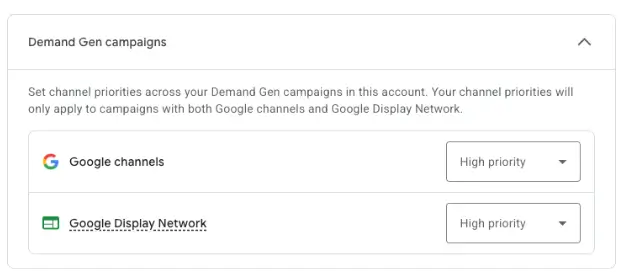
If your Google Ads account has Channel Prioritization enabled, you will be able to see the below options on both the campaign and account level.
The account level setting can be found under account settings > channel prioritization. Under this expandable menu, the settings will be available by campaign type. As you can see from the screenshot below, the default setting for all channels will be “high priority.”
Campaign Level Customizations for Channel Prioritization
On the campaign level, Channel Prioritization will be found in the campaign settings section, under “budget and bidding optimization.” Once there, you can choose to adopt account settings or customize settings for the campaign you are in. Setting a channel to low priority allows you to specify your maximum daily budget percentage:
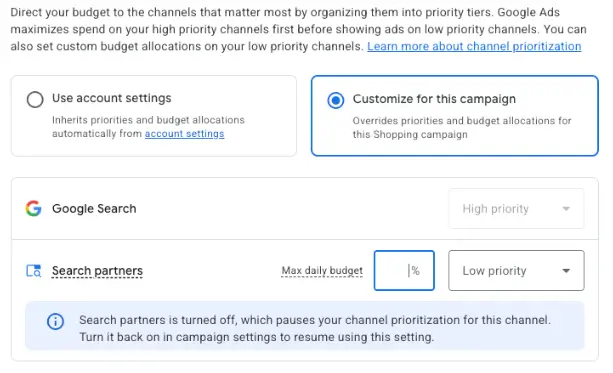
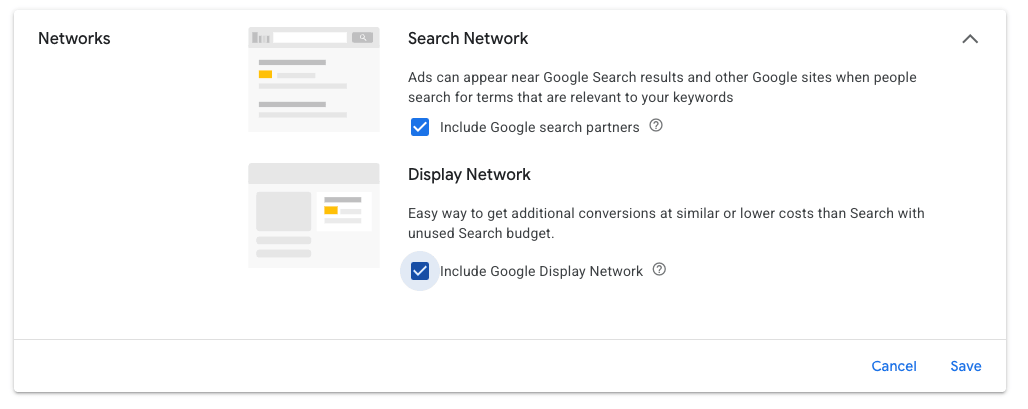
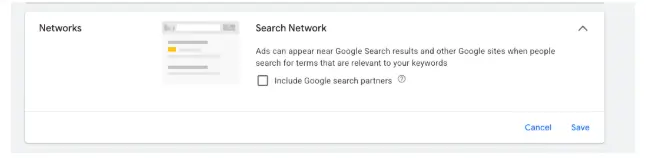
It’s important to note that on Search & Shopping campaigns, the option to completely eliminate Search Partners still exists:
Conclusion
Channel prioritization offers advertisers greater control over how ad spend is distributed across various networks. By leveraging both account-level defaults and campaign-specific customizations, marketers can protect their budgets and align campaign delivery with business goals. As full global rollout approaches, reviewing and setting your channel priority preferences will ensure your campaigns continue running efficiently without unintended spend shifts.