.webp)
Google Ads Is Changing How Display Network Budgets Work in Search Campaigns. Here's What You Should Know.
If you're running Search campaigns with the Display Network enabled, there's an upcoming Google Ads change worth knowing about.
Starting in February 2027, Google plans to change how budgets are allocated between Search and Display inventory within Search campaigns.
If you remember the old Search Network with Display Select, this setup might sound familiar. Also, see a helpful tip below.
The change is part of Google's new Channel Prioritization and Budget Allocation features. And while those new controls are optional, this particular update could affect how your existing campaigns spend their budgets, even if you don't change any settings.
How Does It Work Today?
Currently, Google Ads automatically gives Search priority over Display when allocating campaign budgets.
In practice, Google tries to spend on Search first, then allocates budget to Display based on the remaining opportunities.
This happens behind the scenes, and advertisers haven't had direct control over that prioritization.
It's also worth noting that this automatic behavior applies to Display Network inventory, not Search Partners.
What's Changing?
Starting in February 2027, Google will begin retiring this automatic prioritization.
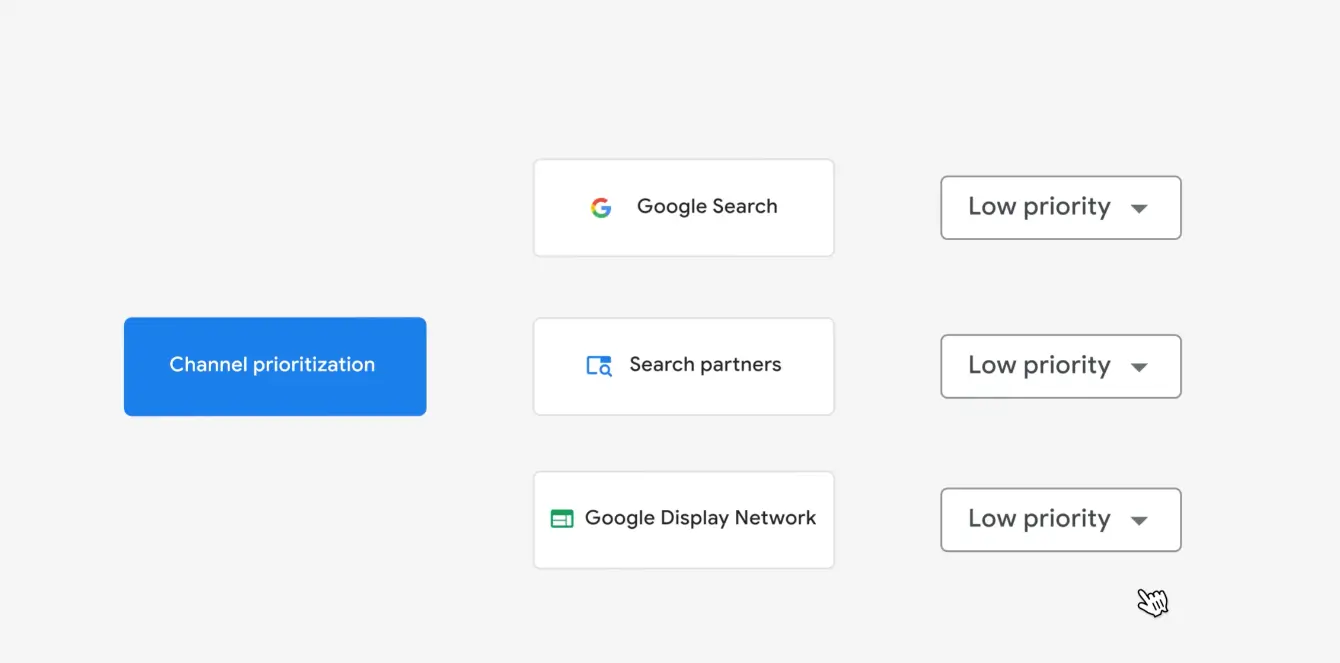
With the introduction of Channel Prioritization, advertisers will be able to choose which networks receive High or Low Priority.
By default, all channels will be set to High Priority. This means Display will no longer automatically receive lower priority than Search once the existing mechanism is retired.
So, if you have Display enabled in your Search campaigns and don't make any changes, you could see a shift in how your budget is distributed.
That doesn't necessarily mean every campaign will experience a noticeable difference, but it's something worth keeping in mind.
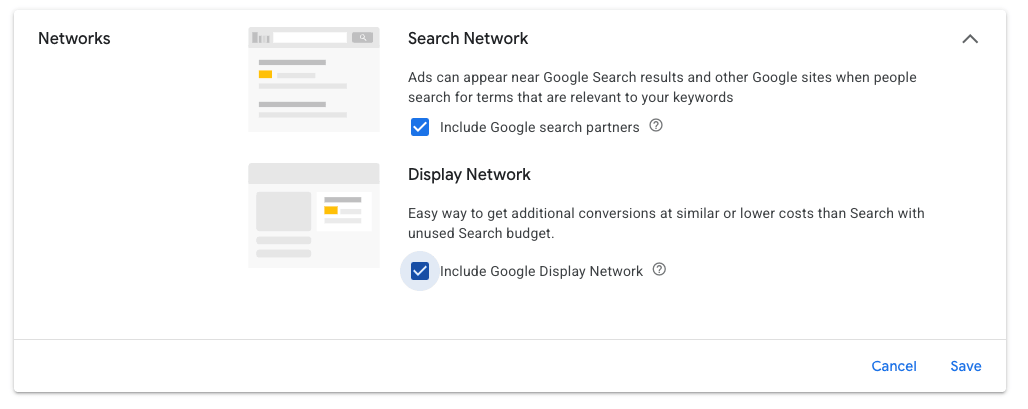
How Can You Tell If Display Is Enabled?
Here's a quick way to spot Search campaigns that may also be using the Display Network.
Take a look at the campaign icons in your Google Ads account.
A regular Search campaign typically has a magnifying glass icon. When Display is also enabled, you may see a combined Search and Display icon, like the example below.

Quick Tip: Check Your Brand Campaigns
While you're reviewing your network settings, take a moment to check your branded Search campaigns.
We generally don't recommend enabling the Display Network in dedicated brand Search campaigns.
Someone actively searching for your business by name has different intent from someone encountering your ad while browsing a website or app.
Combining these networks can also make it harder to evaluate the performance of your branded Search traffic.
If Display is enabled, review its actual spending and performance before deciding whether it belongs in your brand campaign.
Unless you have a specific reason to include Display, keeping your branded Search campaigns focused on Search is generally our preferred strategy.
What If You Want to Keep Things As They Are?
The good news is that Google is providing a way to preserve the existing budget allocation setup.
Advertisers who want to maintain their current configuration can set the Display Network to Low Priority and apply a 50% maximum budget allocation.
According to Google, this combination effectively replicates the existing prioritization mechanism.
That doesn't mean Display will receive 50% of your budget. The percentage represents a spending cap, not a target. Search will still receive priority, and actual spending on Display will depend on available opportunities and your campaign's bidding targets.
Google also plans to provide a simplified option in the Google Ads interface to help advertisers preserve their current settings.
Keep in mind that budget allocation caps are best-effort limits, not guarantees of exact spending.
Do You Need to Do Anything?
Not immediately.
However, if you're currently using Display Network inventory within Search campaigns, it's worth reviewing your settings before February 2027.
Check whether Display is enabled, how much of your budget goes to that network, and whether the current allocation makes sense for your business.
You may want to preserve the existing prioritization, or you might prefer to experiment with the new flexibility.
Either way, the important thing is to make that decision intentionally rather than discover later that your budget allocation has changed.