.webp)
Google Ads New Customer Acquisition: Is Your ROAS Actually Real?
Picture this. You're looking at a Performance Max campaign with an incredible ROAS, feeling pretty good about yourself, and then you add the "New Customer Lifetime Value" column to the report and your stomach drops. The number is enormous. If that value is baked into your conversion data, your actual revenue is way lower than what the platform is showing you, which means your client's account is performing considerably worse than either of you thought.
We've written on this before, and it can really be a hit to the gut if it's actually artificually inflating your values (we wrote on this years ago here! Read This Before Using New Customer Acquisition Goals in Google Performance Max Campaigns).
HOWEVER, before you start adjusting bids or drafting uncomfortable emails, check this first, because it's now a little more complex than when this first began...
The Platform Changed How This Works (And That Could Be Why You're Confused)
If you've been managing Google Ads for a few years, your confusion here is completely justified. Back in late 2023, the platform changed how New Customer Acquisition works, and veteran media buyers got caught in the transition.
Originally, New Customer bidding was configured at the campaign level. You toggled it on, assigned a value, and that was it. The feature was live and immediately inflating your reported conversion value for that campaign. All-or-nothing, campaign by campaign.
However, in 2023, Google moved the New Customer value definition to the account level. That shift decoupled the background tracking from the active bidding algorithm, which is the root of all the confusion.
Most people never got a clean explanation of what that change actually meant in practice, so let me give my best shot:
Account-Level Tracking vs. Campaign-Level Bidding
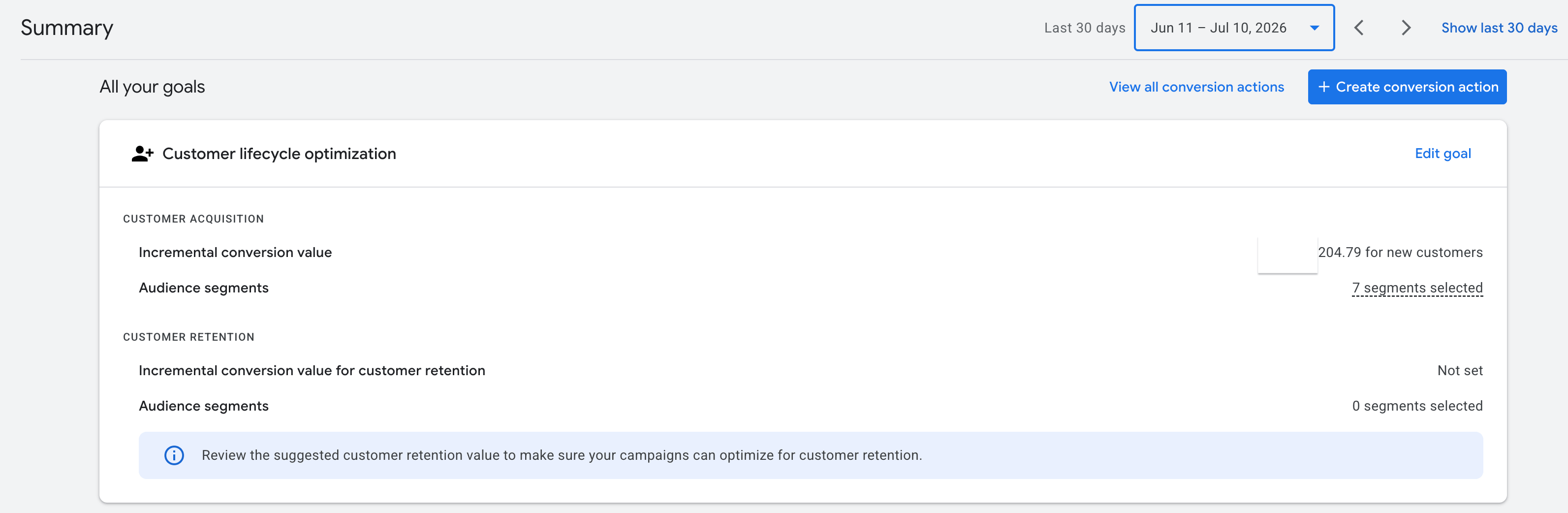
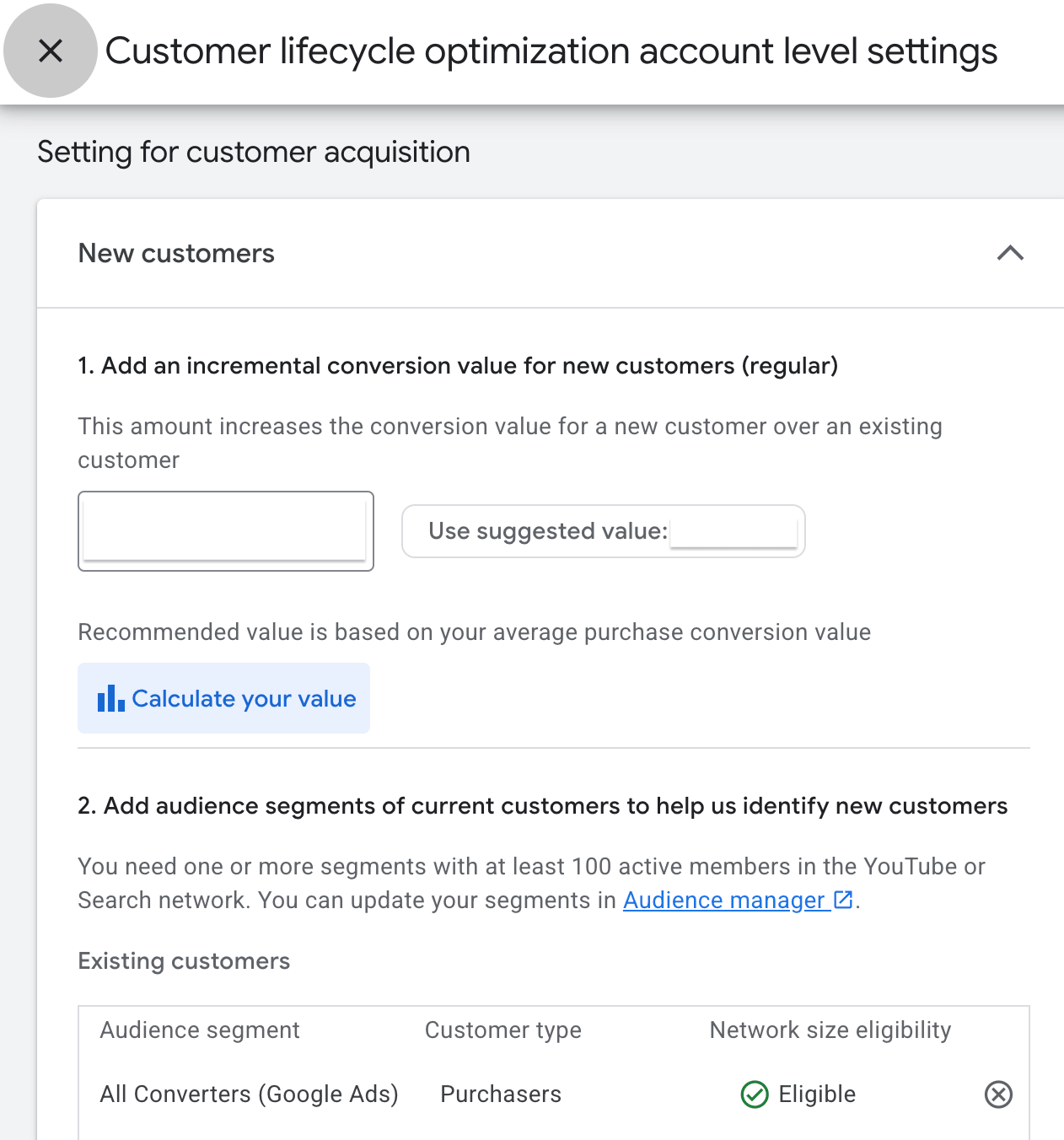
When you set up a New Customer Acquisition goal today, two things happen at the account level.
First, you define what constitutes a new customer. Google identifies them through your audience lists, your conversion tracking tag parameter, or its own 540-day auto-detection window. Second, you assign an incremental monetary bonus to a new customer's first purchase, a value signal meant to communicate their long-term worth to the bidding algorithm.
Because this is now an account-level setting, Google is always tracking new versus returning customer data in the background and populating it in your reports, regardless of what any individual campaign is doing. That last part is the thing people miss.
The Checkbox That Actually Controls Everything
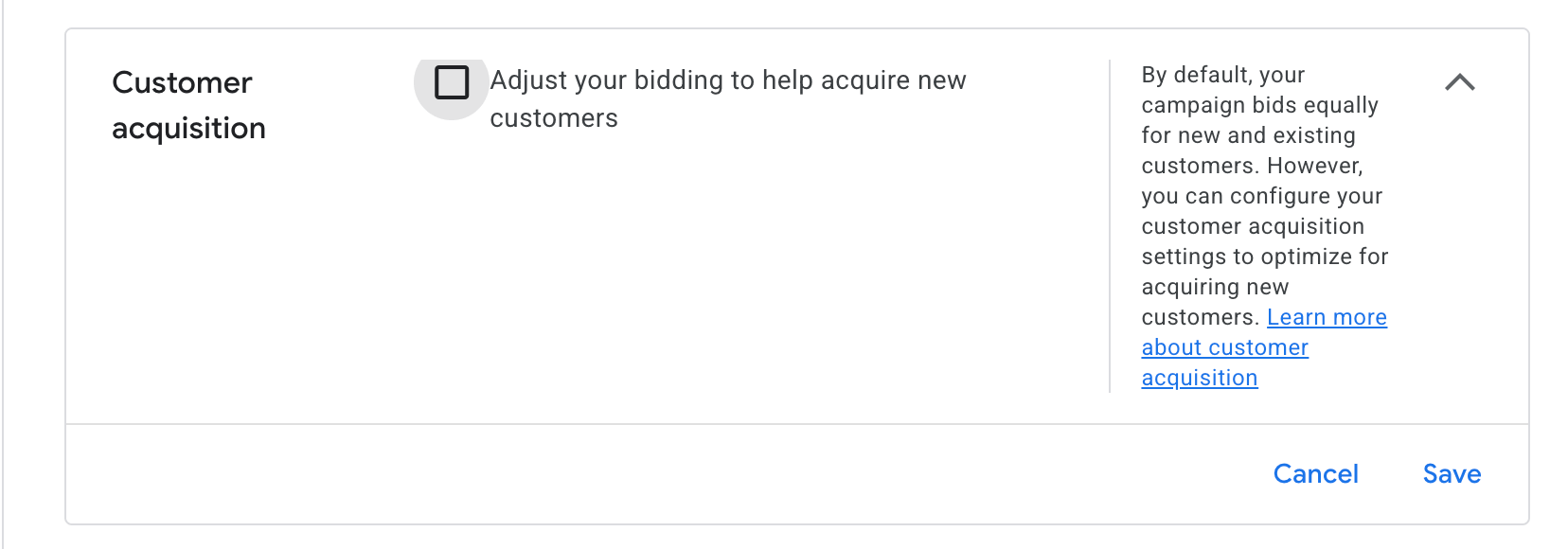
Inside any campaign's Customer Acquisition settings, there is a single checkbox that determines whether the NCA value affects your bidding: "Adjust your bidding to help acquire new customers."
When that box is unchecked, the campaign bids equally for new and existing customers. The algorithm does not apply your NCA bonus to the auction. Your primary Conv. value column is not inflated. The numbers you're looking at reflect actual revenue.
When that box is checked, Smart Bidding starts adding your bonus value to new customer purchases to guide the algorithm toward prioritizing them. Your Conv. value and ROAS become intentionally inflated as a bidding signal. That's working as designed, but it does mean you can't read those columns as straight revenue figures anymore.
However, it gets even more technical, based on what we've seen, it's when that box is ticked AND THEN it is also set to "Bid Higher for newer customers" where you can then see the goal value you've set.
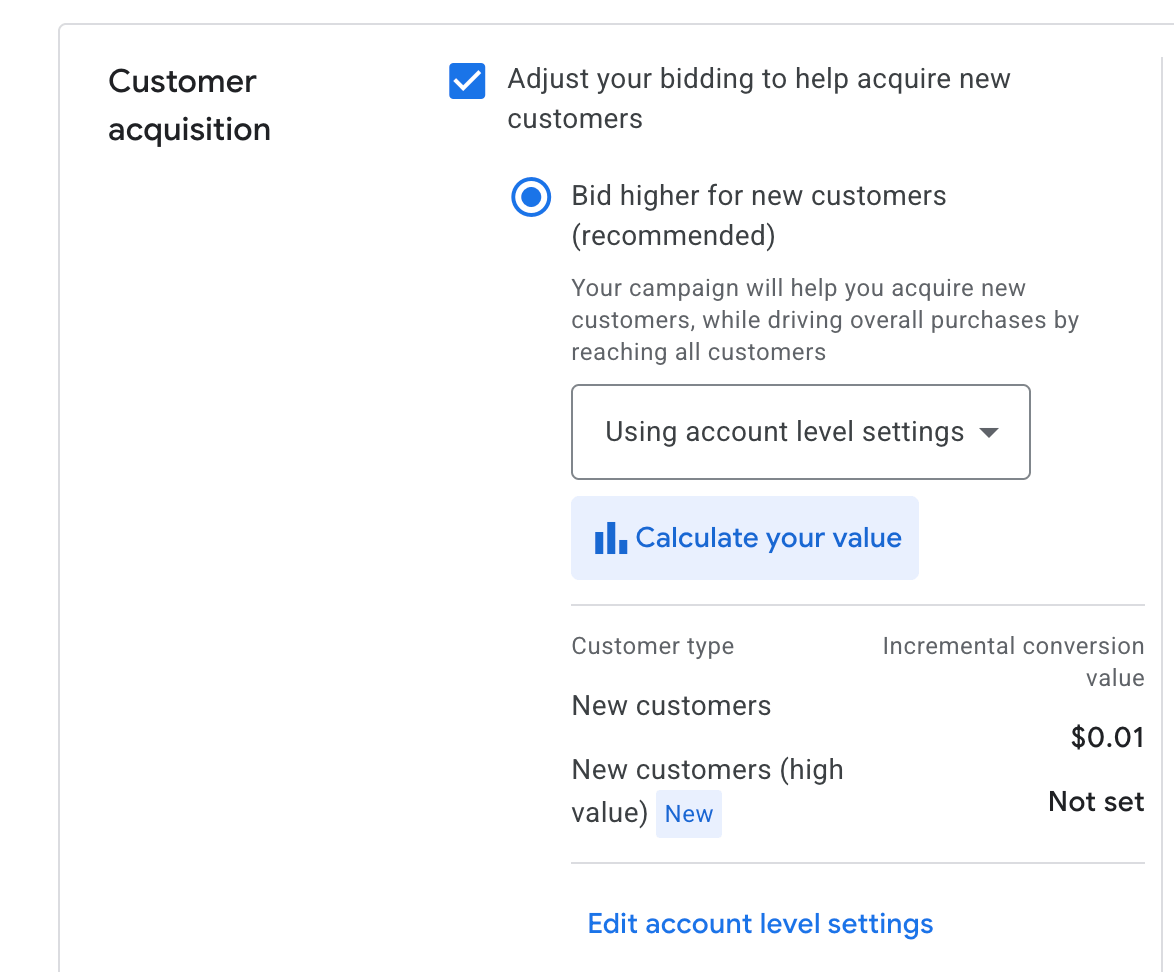
This is exactly the kind of campaign setting detail that causes real confusion in audits, especially when you're inheriting an account and trying to quickly understand whether performance numbers are trustworthy.
Why the Column Populates Even When the Box Is Unchecked
Here's the thing that trips people up. Even when the bidding adjustment box is unchecked, the New Customer Lifetime Value column still shows a large number in your reporting dashboard, but it is NOT ACTUALLY CHANGING YOUR CONV VALUE COLUMN OR INFORMING YOUR BIDDING.
You can confirm this, by comparing your Original conv. value column. If that matches your Conv value, then the algorithm is NOT bidding according to your set New Customer values, and it is also not inflating the conv value column! Your LTV column is simply reporting what COULD be if you had that box checked.
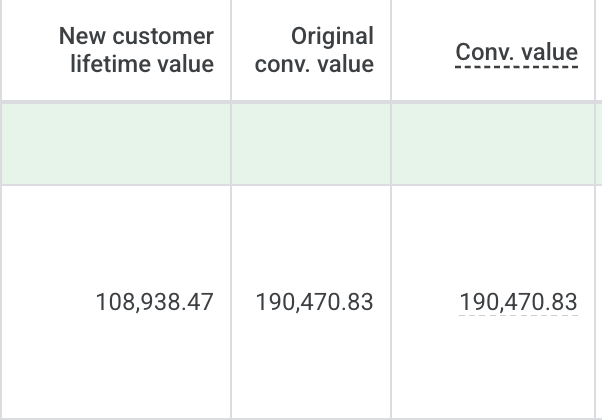
Since Google's tracking is always on for this value, the column is showing you a hypothetical: here's what the added value would look like if you were using the feature to adjust bids. It's observational data, not active bidding data. As long as that checkbox remains unchecked, the number in that column is siloed from your main revenue columns entirely.
This column shows your raw, unadjusted conversion value before any value rules, lifecycle goals, or attribution changes are applied. Put Conv. value and Original conv. value side by side in your dashboard.
If they match exactly, your campaign is reporting pure revenue. Nothing is being inflated.
If Conv. value is significantly higher than Original conv. value, your campaign is actively using an adjustment and your bidding algorithm is optimizing toward an inflated number.
BTW, this is useful well beyond the NCA question. Any time you're running value rules or trying to understand whether conversion tracking adjustments are affecting your reported numbers, Original conv. value is where you go first.
Now, IMO Google could do a better job of making that distinction obvious. It doesn't. Which is why this specific feature generates so many panicked Slack messages.
Final Note
This particular feature is a little confusing by mixing account-level observation with campaign-level activation, and the historical change from campaign-level to account-level setup means a lot of experienced practitioners are working from outdated mental models of how it behaves.
When you see a large New Customer count in your reports and that bidding adjustment box is unchecked, your data is fine. The column is telling you what could happen, not what is happening. And when there's any doubt at all, Original conv. value is your ground truth.
For more on how we think about Performance Max campaign structure and keeping conversion data clean and trustworthy, there's quite a bit on the blog worth exploring.


.jpeg)